The Sales-to-Engineering Wall (And Why It’s Costing You Money)
The Sales-to-Engineering Wall is the operational disconnect where the sales process sells a visual concept, but engineering teams must manually rebuild the product data for manufacturing.
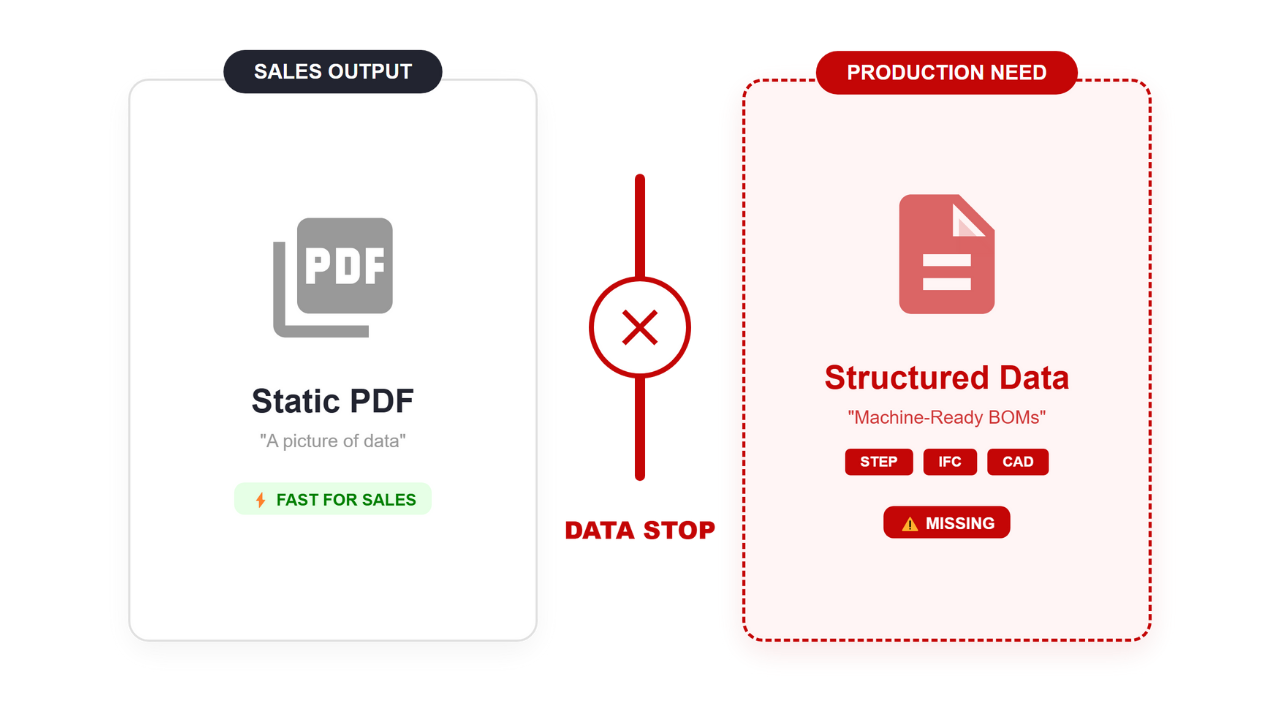
The Data Stop. Standard CPQ system is fast for sales but leaves production with a static PDF instead of usable data.
Let’s be honest. For the last ten years, the focus of CPQ solutions has been the Customer Experience. We built flashy 3D modeling configurators in web browsers. We focused on making the product look sellable. But we forgot something massive: Manufacturing Definition.
While your sales team shows a client a beautiful model, your design teams are panicking. Why? Because that visual is just a pretty picture. It lacks the CAD data and design requirements required for manufacturing systems.
This disconnect creates design bottlenecks. When the deal closes, your engineers become data janitors. They have to open the PDF quote, squint at the numbers, and rebuild the product design from scratch in their CAD system, whether they are using SolidWorks, AutoCAD, or Inventor.
This is the Wall. It prevents you from seamlessly moving from sales and design to production.
-
The Cost: Research shows 23% of engineering time is lost to repetitive design tasks and non-value-added admin work.
-
The Bottleneck: CPQ solutions play vital roles in fixing this, but only if they handle CAD integration correctly.
-
The Goal: We need to automate beyond mere digital product modeling and ensure that every configuration is production-ready.
Sales and Design Disconnect: Why Visual Meshes Cause Design Bottlenecks
Visual web configurators use Mesh geometry (approximate triangles), while professional CAD design requires B-Rep geometry (exact mathematical curves).
This is the technical root of the problem in the design process. Most CPQ software tools prioritize speed, so they use Meshes. This works for marketing, but in the global CAD market, precision is everything.
-
In a Mesh (Visual): A cylinder is actually 64 tiny flat rectangles.
-
In a CAD Model (Engineering): A cylinder is defined by a mathematical equation. It is a perfect circle with infinite resolution.
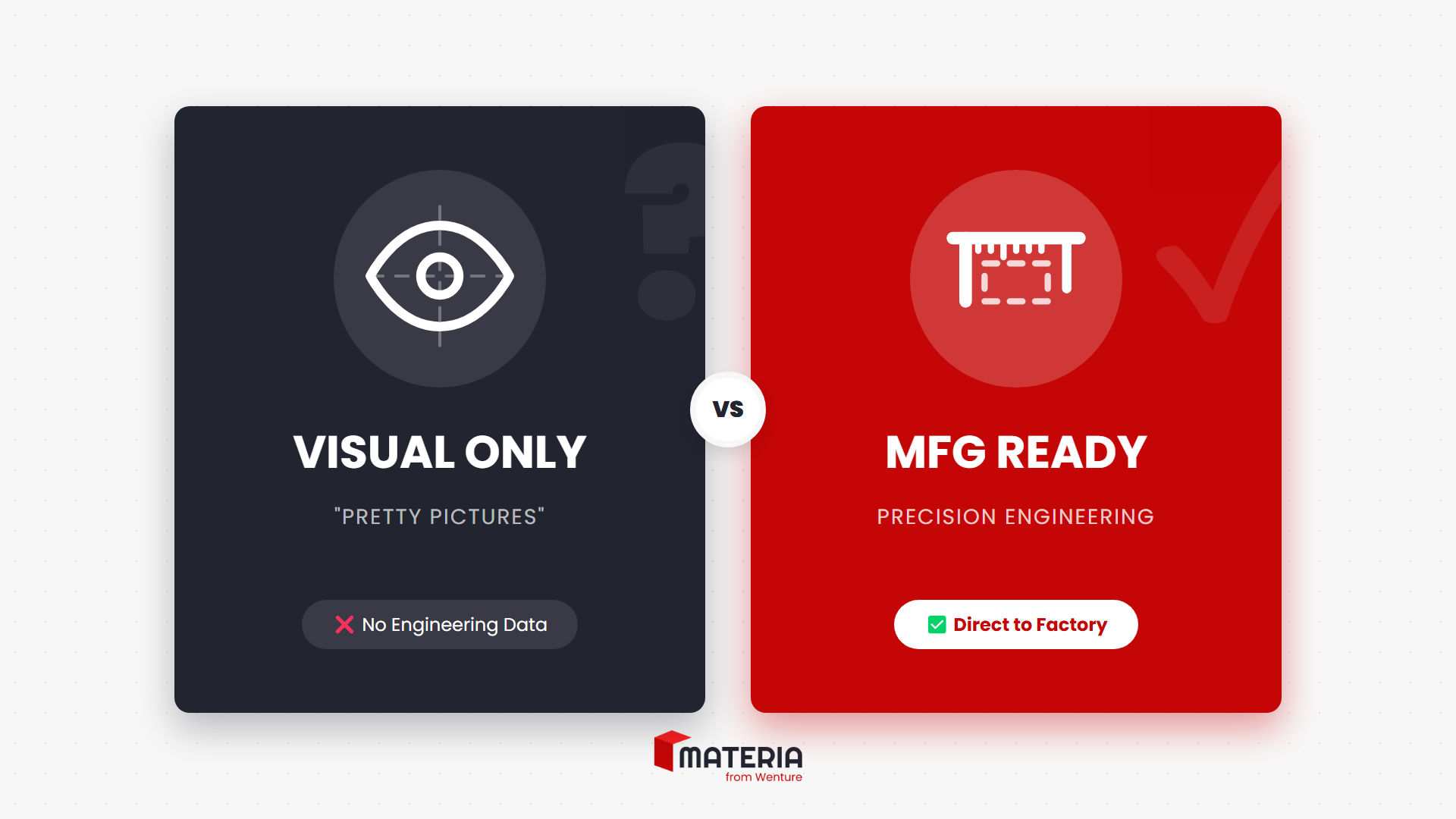
The “Pretty Picture” Trap. Standard configurators generate visual meshes (left) that look good but cannot be manufactured. Materia generates precision engineering data (right) ready for the factory floor.
If you try to automate the creation of production files using a Mesh, the machine toolpath gets confused. To streamline the workflow, you need CAD capabilities that natively generate B-Rep geometry. This facilitates the design and development of precise components without manual intervention.
| Feature | Typical Visual Configurator | Materia Suite (CPQ + Produce) |
| Primary Use | Sales and design visualization | Design and manufacturing execution |
| Geometry | Approximate Triangles (Mesh) | Exact Math (NURBS/B-Rep) |
| Precision | Low (Visual only) | High (Micron-level tolerance) |
| Output | PDF Quotes & JPEGs | Production-ready files (STEP, DXF, IFC) |
Seamlessly Automate Custom Product Workflows with Design Automation
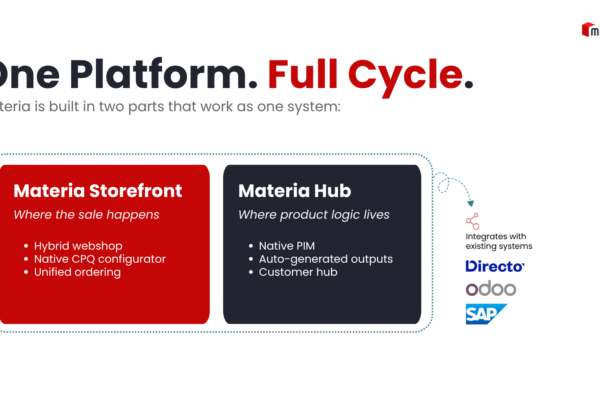
Materia Suite is not just a quoting tool; it is a powerful manufacturing engine. It uses a constraint-based rules engine—similar to parametric design—to automatically generate production-ready files in real time.
Unlike standard configurators that simply pass data to a sales team, Materia Suite offers true CAD automation solutions. It removes the need for a separate engineering step by handling repetitive design tasks instantly during the configuration process.
When a user drags a slider to customize a custom product, Materia doesn’t just stretch the picture. It runs a script to automate CAD creation and generate the engineering reality:
-
Validates Logic: Is this configuration manufacturable according to our design rules?
-
Calculates Structure: Do we need extra supports or specific hardware?
-
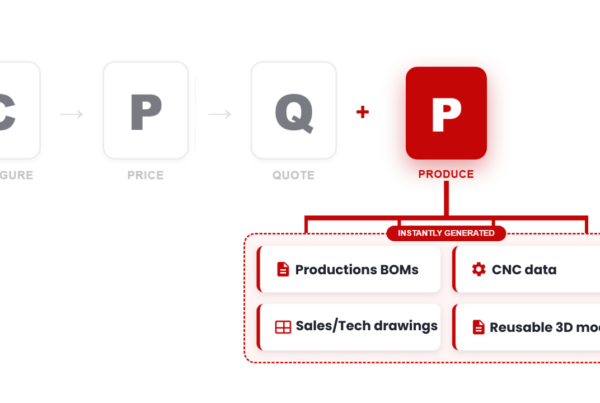
Produces Files: It scripts the automated creation of CAD models specifically for that order, including Live BOMs that display a complete Bill of Materials while products are being configured.
This creates a single source of truth. It empowers sales associates to efficiently craft complex proposals without calling a sales engineer. By generating CAD models through a configuration, the system ensures error-free output because the manufacturing logic is baked directly into the sales tool.
CPQ for Manufacturers: Generating the Files You Actually Need
To bridge sales and engineering, your CPQ solution must export three specific formats—STEP, IFC, and DXF—and sync data with your ERP.
To truly streamline design and integrate CPQ with CAD platforms, you need more than a PDF. You need seamless integration of data formats that machines can read.
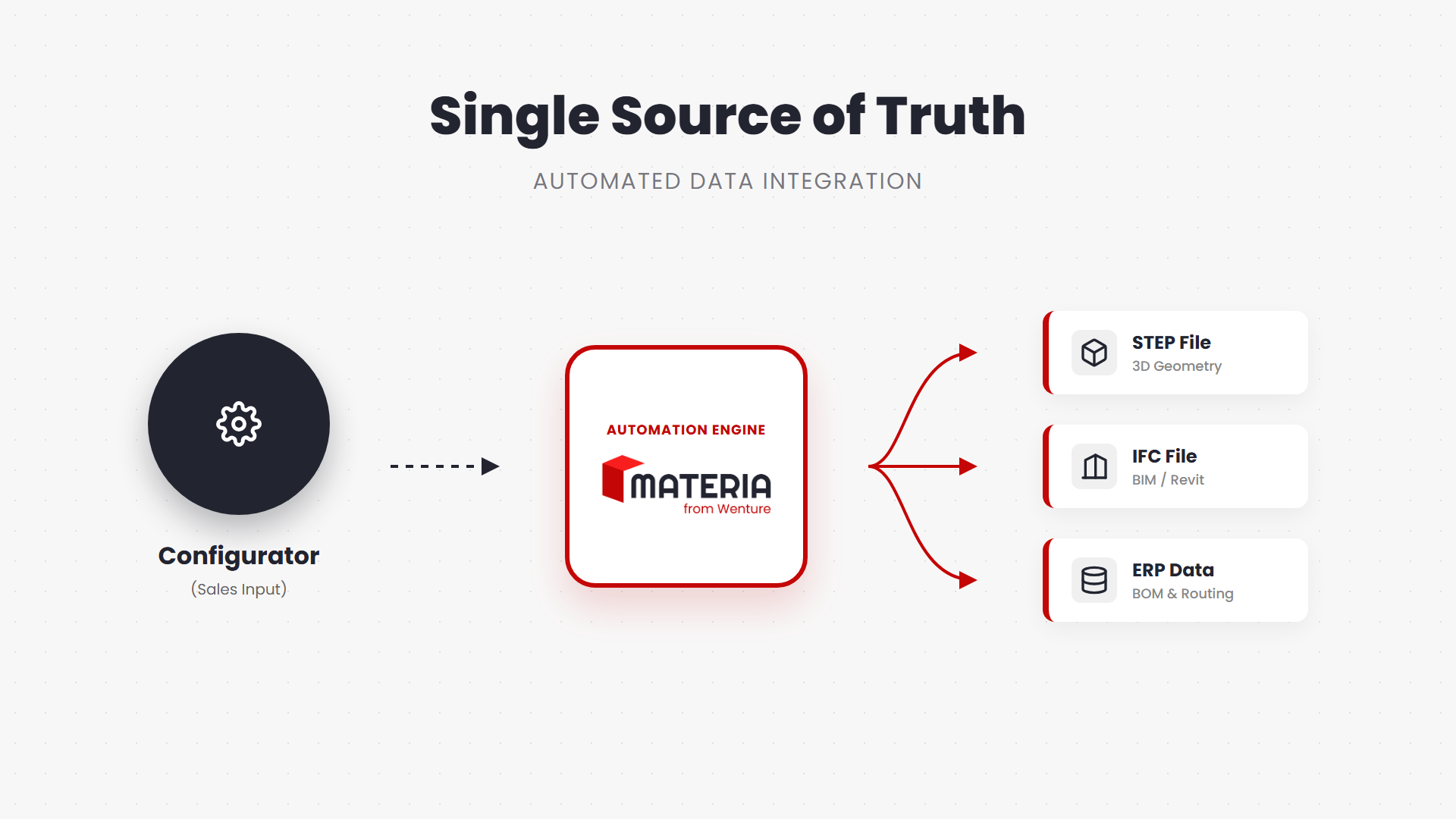
True CAD automation creates a single source of truth. One sales input is automatically converted into all the file formats required for manufacturing and construction.
1. STEP Files (The Factory Truth)
ISO 10303 (STEP) is the currency of the global CAD market. Materia generates STEP files that maintain assembly structure. This allows design engineers to explode the model in their CAD tools, route parts to different work centers, and eliminate the need to manually create CAD data directly from your CAD system.
2. IFC Files (The BIM Standard)
If you sell to construction, you need CAD integration with BIM. Materia generates IFC files. The file knows it’s a window and automatically cuts the opening in the architect’s Revit model. This facilitates design and manufacturing coordination, making your product the easy choice for architects.
3. ERP Integration (The Data Backbone)
Materia Suite doesn’t just handle geometry; it acts as your ERP connector. Whether you use SAP, Odoo, or Microsoft Dynamics, Materia pushes the BOM and routing data directly to your system, eliminating double entry. This is how automation can streamline the entire business, not just the design phase.
Basics of CAD Automation: Real World Results
Manufacturers using Materia have reduced quote times from days to minutes and eliminated costly errors by enforcing engineering logic at the point of sale. This is the basics of CAD automation applied to the real world.
Saku Metall (Industrial Doors)
-
The Problem: Sales reps struggled with determining pricing for complex tracks, creating massive design bottlenecks.
-
The Fix: Automation and CPQ tools that calculate the optimal track based on product data.
-
The Result: Quote time dropped from days to minutes. The sales process is now 95% autonomous.
Read the full case study HERE.
The ROI of CPQ for Manufacturers
Investing in automated engineering generation delivers ROI through three channels: reclaimed engineering capacity, faster sales velocity, and reduced Cost of Poor Quality (COPQ).
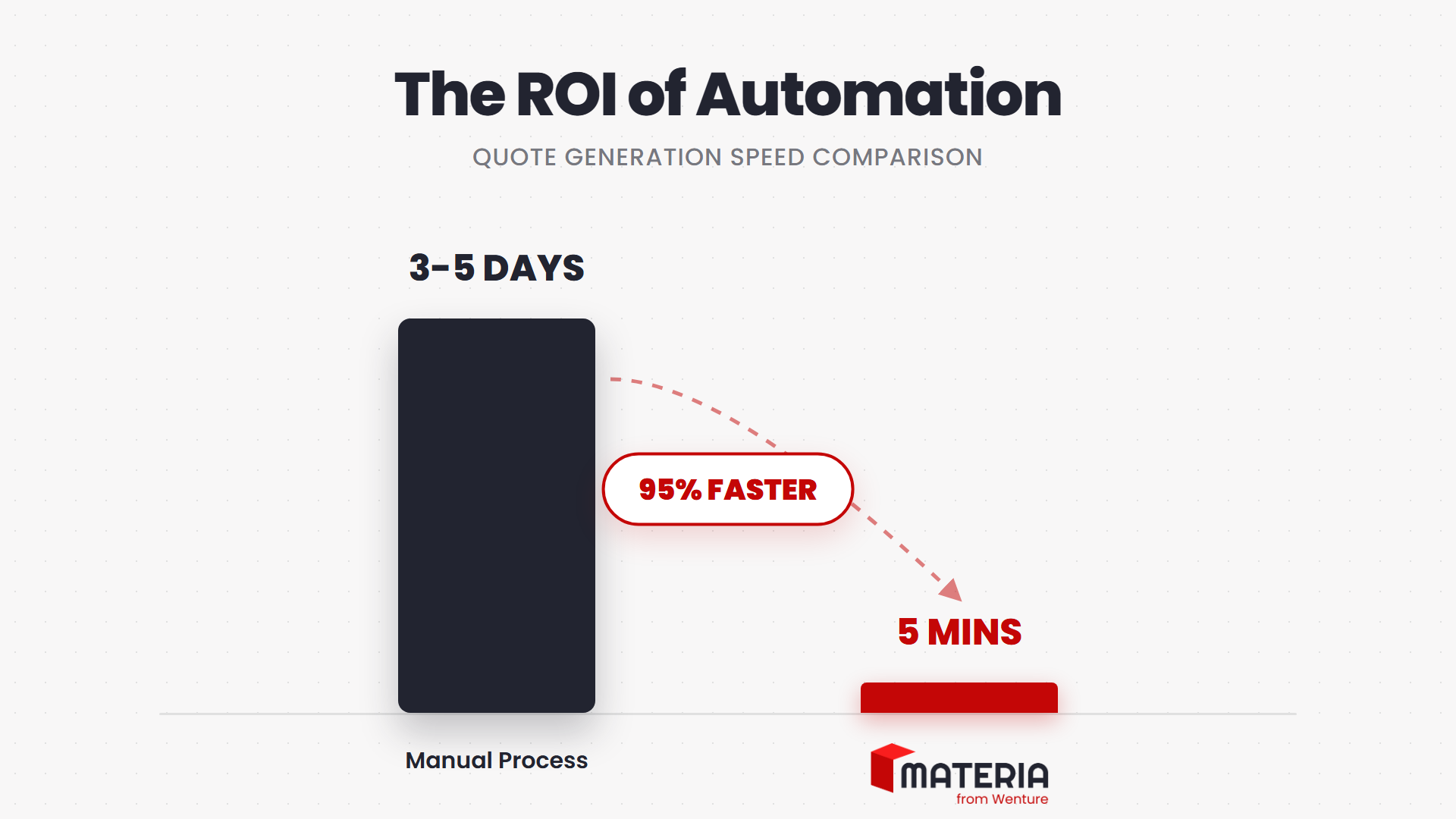
By automating the engineering logic, Materia Suite reduces quote generation time from days to minutes—a 95% gain in speed.
CPQ solutions play vital roles in industrial manufacturing efficiency. CAD automation enables efficiency by removing the manual grunt work often found in traditional CAD.
- Reclaim Capacity: By using design automation for routine tasks, you save 23% of engineering time.
- Speed Wins Deals: Accurate quotes with generated CAD models win trust. Materia clients report 60% faster quote generation.
- Reduce Errors: Costly errors in product configurations eat margins. Vital roles in industrial manufacturing include error prevention. CAD automation ensures that what is sold is exactly what is manufactured, dropping error rates significantly.
Conclusion: Making Design and Manufacturing Seamless
The era of throw it over the wall is over. Sales and Engineering must look at a single source of truth.
Automation and CPQ are no longer separate conversations. In a world of tight margins, sales and design must be aligned. You need to configure products and manage the design and development of precise data simultaneously.
When the manufacturing phase begins, it should be a seamless transition, not a restart. By connecting CPQ with CAD automation via the Materia Suite, you give customers confidence and give your engineers their time back.
Discover how CAD automation can transform your business and define the future of CAD. Ready to streamline your workflow? See how Materia generates production-ready files here.
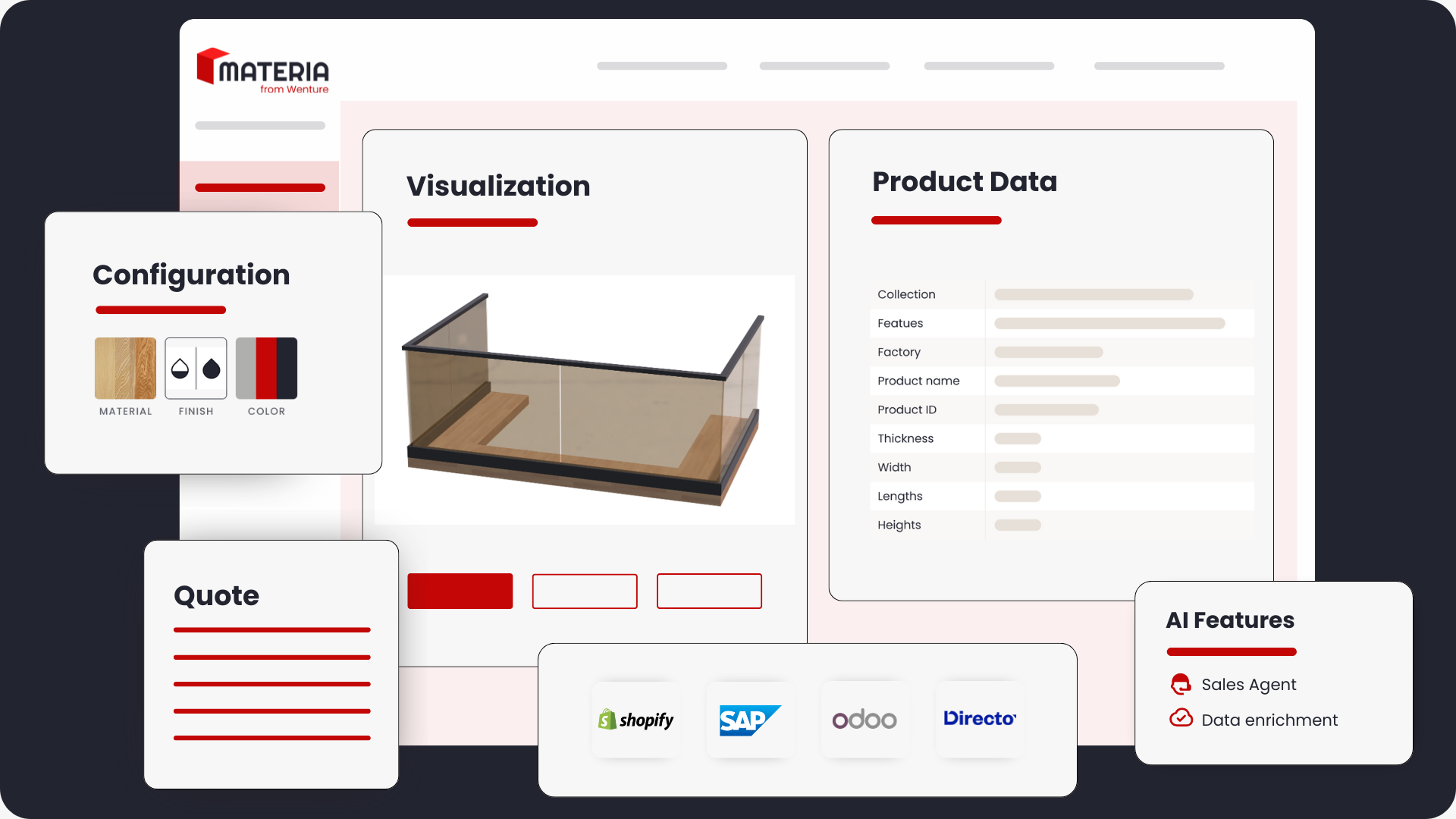
All-in-one CPQ & PIM software with AI Sales automation to manage complex product data and generate instant quotes.